One of the nice features when you use some social media services - such as Facebook or Google+ - is the automatic generation of link previews complete with image and short snippet. From a user's perspective, I believe it's always reassuring to be able to see where a link will take you and if you're a website owner it definitely helps make links more appealing to click on.
Unfortunately most content management systems and blog services do not offer a link preview feature.
Fear not! There are online services which offer this functionality for free and, so long as you have access to edit the HTML source code in your chosen editor, you can include link previews in your pages.
The service I use is embed.ly which offers not only link previews for free but other services such as cards, bookmarklets and sharing buttons as well.
I recently started a new challenge for my style blog, The Style File, and wanted to randomise a set of values to create unusual combinations for the challenge. As usual, I went looking for an app to help.
Having tried a few, I chose Hamad Alfarsi's free app Random Picker. This randomiser has both a name picker and number picker. Whilst there were many options which could do the job, the feature that distinguished this particular app was the ability to save and edit lists for use again and again. Given the challenge repeats every month this year that was important for me.
The app interface itself is pretty basic but it does the job well enough that anything fancier really isn't altogether necessary.
Unfortunately Hamad doesn't offer an Android version but there are may to be found on the Play Store.
A randomiser app such as this a good addition to your phone's toolkit, particularly if you participate in activities, such as sports, games or raffles, where either a result from a list, a randomly ordered list or a random number from a range is used.
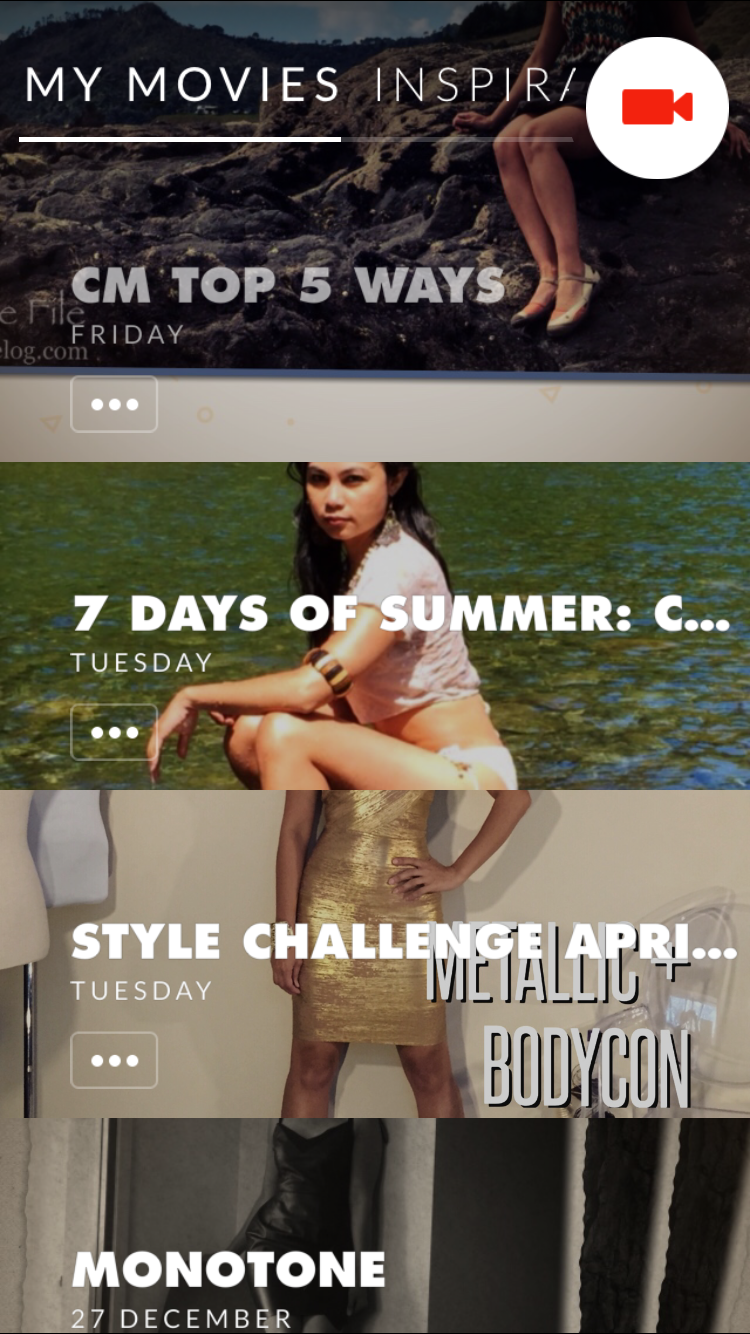
One of my other blogs is a style and lifestyle blog. Given the subject matter there are literally thousands of photos. For the most part these feature on Instagram and most don't warrant a post of their own. However, there are times I like to demonstrate how a single item is used in multiple outfits and other times to pick a theme, such as monochrome, and feature similar looks.
Until recently I've used picstitches as static images to do this but there's something nice about having a richer, dymanic experience.
I actually tracked down a video slideshow app in order to make a digital card for Christmas but saw the potential for more than my personal use when the result turned out so nicely.
There are plenty of options for converting a stack of photos and videos easily and quickly into a slideshow video but I wanted something which had nice transition effects and not just typical, Powerpoint-esque fades and wipes.
Initially I tried Animoto but the inability to download the video without having a paid subscription, and in fact having to upload my photos to a website, didn't suit. I was therefore very pleased, after trying a large number of app options, to find Replay.
Available free for iOS with watermark and in-app purchases for premium themes, it was easy enough to try. Very pleased with the quality of resulting product, I paid $12.99NZD to get all eight additional themes and remove the watermark.
What I enjoy about Replay is the simple interface which allows me to add title slides as well as overlay text on photos. There are over twenty themes each with variations. You can select music from the app library or use your own. It offers a cinematic widescreen format or square for Instagram and three transition speeds.
Whilst my use is quite specific, I do recommend this approach, regardless of app if you're someone who works with a lot of images. My day job exposes me to academic staff, for example, many of whom could benefit from converting old slides into a video for playing at lectures, or uploading to YouTube or a learning management system. It's also handy for sharing your favourite photos, whether from an event or holiday or the embarrassing collage of baby pics for someone's birthday. Make videos, faster than ever - Replay App
A caveat on Replay: my newest and therefore most powerful iOS device is my iPhone 6. I find that videos with a large number of high resolution photos can only be rendered successfully on this device. My iPad 3 and iPad Mini are both too under-powered to get the job done.
Mx5Pixie - also known as Mia Morrish - is an IT consultant by day and sporadic but prolific blogger by night. To share her interests with the world at large (or at least anyone who can be bothered to read her ravings) she writes and photographs about fashion and style, travel, lifestyle, technology, bees, food, society and poetry.
When not spinning out hundreds of words per day, Mia likes to dance, read, watch an eclectic range of TV and movies, enjoys different types of exercise including all forms of dancing, yoga, combat and the gym. She occasionally pulls out her weapons to practice in the backyard and menace the plants with her swords. She also loves gaming but has to squeeze that into her busy schedule. At least dancing on the Kinect counts as exercise!